How to turn an interview into a memoir chapter
An interview contains more than a chapter can hold. The goal is not to copy every sentence or make the narrator sound more literary. It is to select one coherent scene while keeping a traceable boundary between source, remembered fact, editorial choice, and approved prose.
By Danila Pryadko · Updated
What you need before you start
- The original recording, or the written answers, saved and backed up.
- A transcript or a time-stamped index of the recording.
- A list of the people and places mentioned, with the spellings you have confirmed.
- The storyteller's agreement about who will read the chapter.
Step 1: Preserve the source
Keep the original recording and never overwrite it with an edited version. Work from copies, and note the time in the recording for every passage you plan to use. When a reader later asks “did she really say that?”, you want to be able to find the answer in a minute.
Step 2: Transcribe or index
A full transcript is the easiest material to work from. Automatic transcription gets you most of the way; then listen once while reading, correcting names, places and dates against your list. Mark passages you cannot hear as inaudible and uncertain spellings with a question mark, rather than guessing. If a full transcript is too much, write an index: the time and a line describing each few minutes of conversation, then transcribe only the passages you will use.
Step 3: Choose the chapter's center
An hour of conversation might hold material for five chapters. Pick one moment or one change, and write it in a single sentence before you draft anything: “The day we arrived in Toledo, and why my mother laughed.” Gather the passages that belong to that sentence, and set everything else aside for another chapter rather than squeezing it in.
Step 4: Pull out the scenes and put them in order
Highlight the passages where the storyteller describes a specific time and place—those are your scenes. Most memoir chapters work well in this order: open inside a scene, step back for the context a reader needs, return to the moment that changes things, and end with what the storyteller makes of it now. Chronological order is fine too; the point is to choose it deliberately rather than follow the order of the conversation.
Step 5: Build a fact and privacy list
Before drafting, list every name, relationship, date, place and quoted phrase the chapter will use, and mark how you know it.
| Detail | Status | Where it comes from |
|---|---|---|
| Arrived in Toledo by bus | Supported | Recording, 12:40 |
| Year: 1958 or 1959 | Uncertain—keep both in the text | Recording, 12:35 |
| Aunt's married name | Needs checking | Ask the storyteller; family letters |
| Father's illness | Private—leave out | Storyteller's request, 31:10 |
Step 6: Draft in the storyteller's voice
Decide first whose voice the chapter is in. If the storyteller is the author, write in the first person and keep their words wherever you can. If you are writing about them for the family, use the third person and quote their exact words for the important moments. Either way, keep the phrases that sound like them, trim repetition and filler words, and leave real uncertainty in the text.
Here is a short example with an invented storyteller. From the transcript:
“So we—this was, I think, fifty-eight, maybe fifty-nine—we got off the bus in Toledo, and my mother had this cardboard suitcase, and I remember the handle broke right there on the sidewalk. And she laughed. That's what I remember, she laughed. I'd never seen her laugh like that.”
In the chapter:
We got off the bus in Toledo in 1958 or 1959; I have never been sure which. My mother carried a cardboard suitcase, and its handle broke right there on the sidewalk. She laughed. I had never seen her laugh like that.
What changed: the false starts and repeated “I remember” are gone, and the sentences are in order. What stayed: the suitcase, the broken handle, the uncertain year and the storyteller's own last line. What was not added: the weather, what the mother said, how anyone felt and the color of the suitcase—none of that is in the recording.
Step 7: Edit without inventing
| Fine to do | Not without asking the storyteller |
|---|---|
| Remove repetition and filler words | Add dialogue nobody remembers |
| Put events in order | Add weather, gestures or sensory detail |
| Add a sentence of context from a checked document | Explain why someone acted as they did |
| Join passages from different parts of the interview | Combine two events into one |
| Replace a pronoun with a name for clarity | Resolve an uncertain date by picking one |
Step 8: Read it back to the storyteller
Share the draft together with the fact list. Ask four questions: Is anything wrong? Is anything missing that matters? Is there anything you would rather not share? Does it sound like you? Make the changes, show the result again, and agree on the exact version that is finished.
Step 9: Keep the approved chapter linked to its source
Save the approved chapter with its date, and keep the recording, transcript and fact list next to it. Unused passages stay with the recording, with any restrictions the storyteller asked for; they may belong in a later chapter.
Doing this with MemoirWell
MemoirWell follows the same steps. A guided interview about one memory collects the answers, spoken or typed, and every answer stays editable before anything is drafted. The chapter draft is written from those answers and stays private while the author confirms, corrects or removes the names, dates and places it mentions, looks at a family-safe version and approves the exact text to keep. The first chapter is free. If you use a general AI tool instead, our guide on writing a memoir with AI covers the safeguards.
What the current MemoirWell path looks like
These screenshots come from the current MemoirWell interface using a disposable synthetic demonstration account. No customer story, email address, payment detail, or private family material appears in them.
Answer one guided question at a time
The interview begins by asking who the memoir is for and what the book should protect or reveal. The author can type or record, and the three consent scopes remain separate.
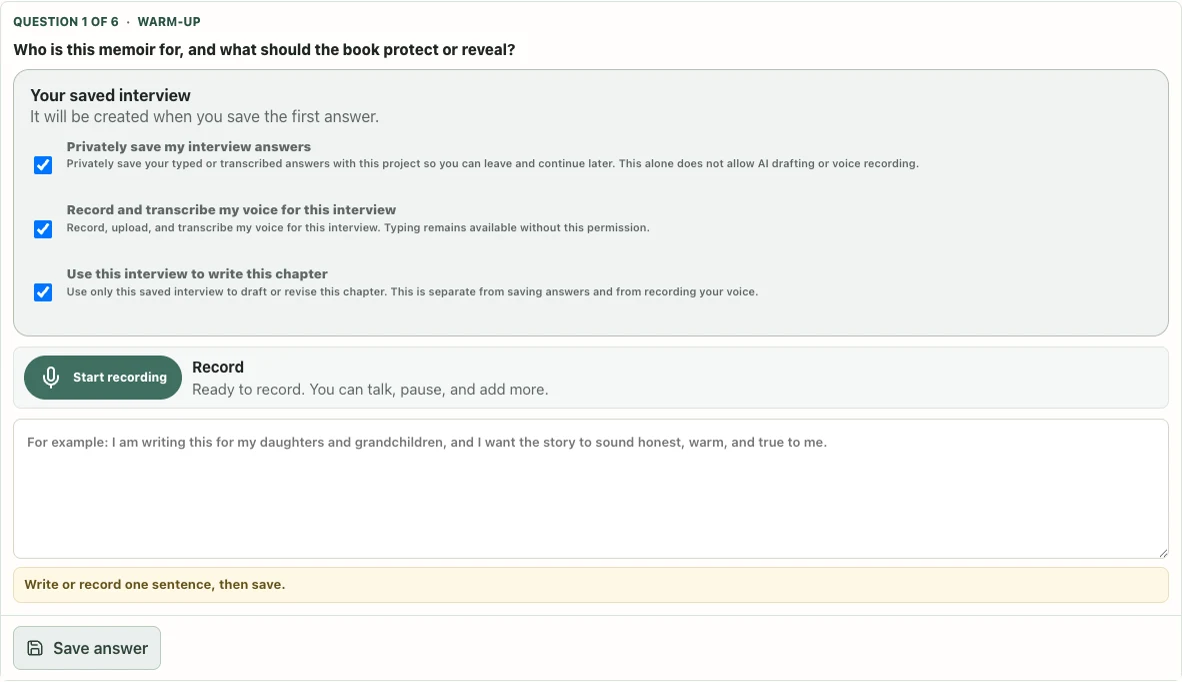
Question 1 of 6 in the current guided interview. Synthetic demonstration account.Current product path: https://app.memoirwell.com/?locale=en#session Review the source before drafting
After the interview, the author can inspect and edit every saved answer, add the name the chapter should use, and explicitly choose when MemoirWell may write the first draft.
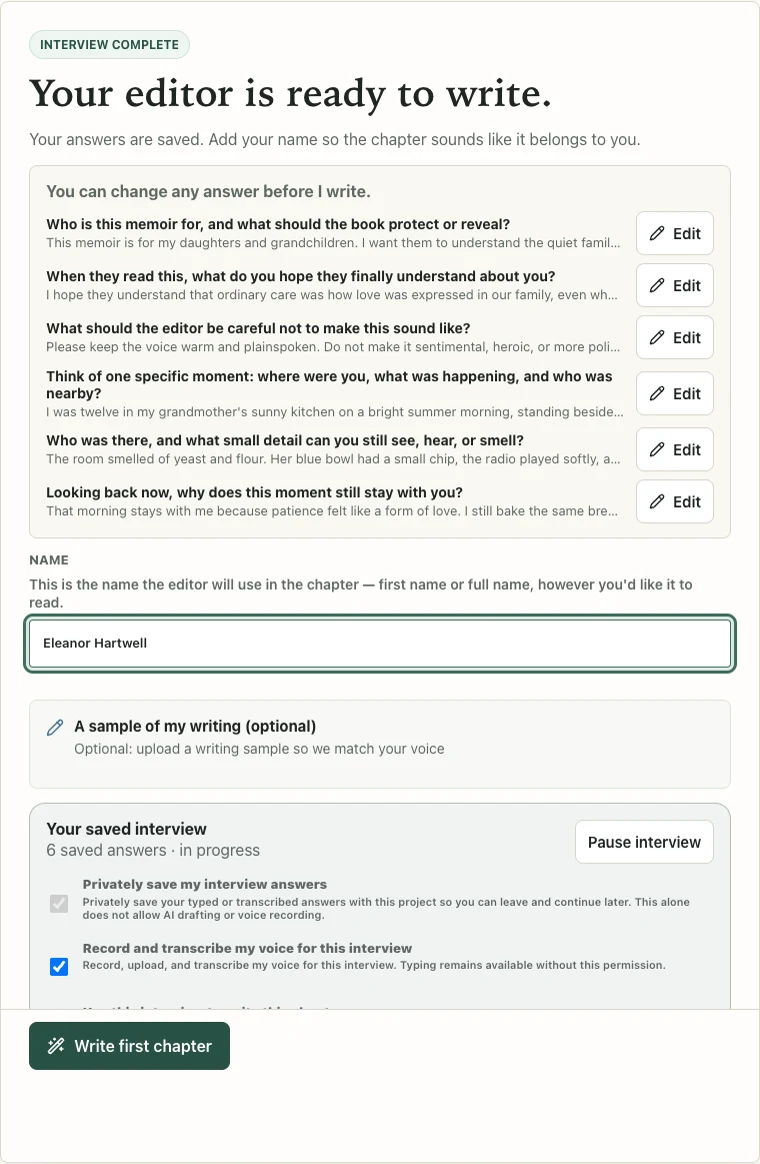
The completed interview stays editable before drafting. Synthetic demonstration account and story.Current product path: https://app.memoirwell.com/?locale=en#session Check proposed facts before approval
The chapter review surface separates factual claims from prose. Each proposed fact can be confirmed, corrected, removed, or flagged for a rewrite before the chapter is approved.
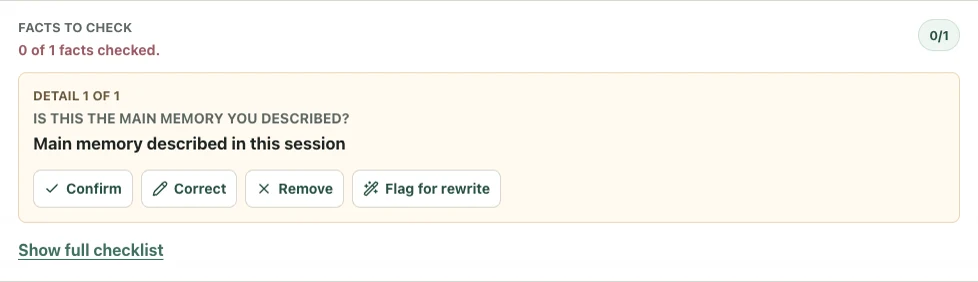
The current fact-review controls on a synthetic generated chapter.Current product path: https://app.memoirwell.com/?locale=en#chapter
FAQ
Should a chapter follow the transcript exactly?
No. A chapter can reorganize and tighten the source, but it should not invent concrete details or erase meaningful uncertainty.
Should I write in the first person or the third person?
Use the first person when the storyteller is the author and approves the text. Use the third person when you are writing about them, and quote their exact words for the important moments.
What facts should I verify?
Prioritize names, relationships, dates, places, quotations and event order—especially where an error could affect another person.
How do I preserve the storyteller's voice?
Keep characteristic wording and rhythm, read the draft aloud, remove generic flourishes, and let the storyteller revise and approve.
What about the material I didn't use?
Keep it with the recording and any restrictions the storyteller set. It may support another chapter, but it should not be silently discarded or shared.
Sources and review date
Sources were last reviewed on .