How to organize family photos, letters, and recordings for a memoir
A memoir archive often begins as a shoebox of photographs, a drawer of letters, recordings with vague filenames, and stories nobody has written down. You do not need to catalog the whole family before beginning; you need a small system that keeps each item connected to its source and story.
By Danila Pryadko · Updated
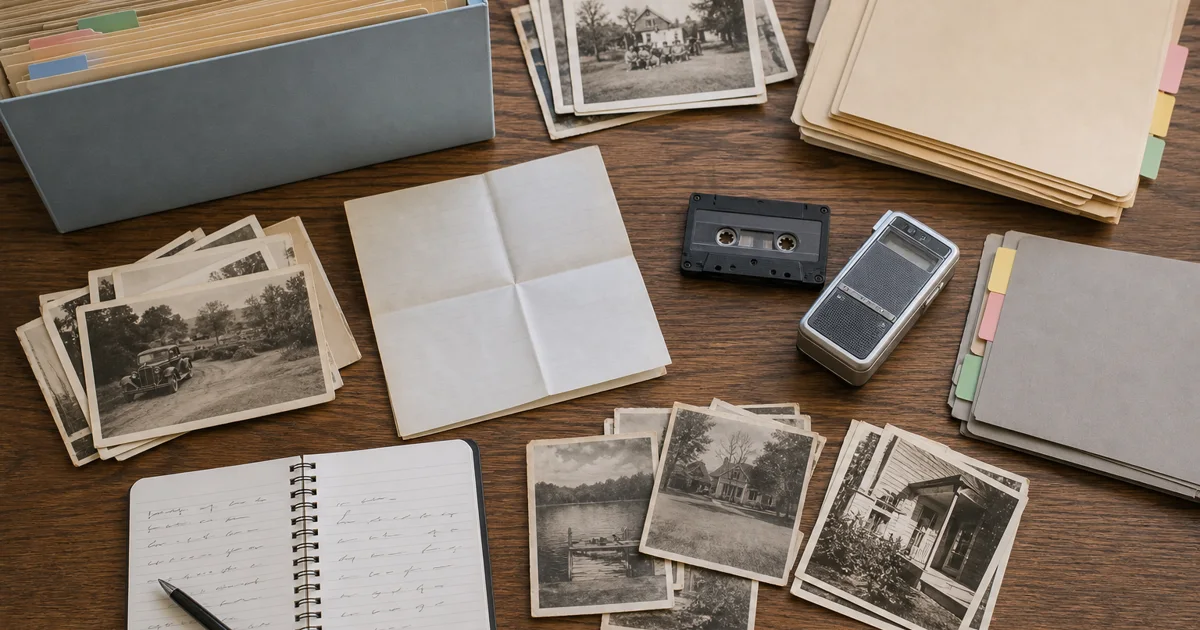
The practical goal is simple:
- preserve the original;
- create a usable copy when appropriate;
- record what is known and what is uncertain;
- group related material without erasing its history;
- choose a few story-rich items for the first chapter.
This guide works whether the collection belongs to you, a parent, or a grandparent. It also works if the future memoir will be written, spoken, or assembled collaboratively.
Publisher disclosure: MemoirWell develops family-story interview and memoir-drafting software, so this is first-party educational content rather than independent archival or legal advice. The workflow below draws on current National Archives, U.S. Copyright Office, and Oral History Association guidance, referenced on August 27, 2026. The collection names and examples are synthetic and do not describe a customer, beta participant, or private family. MemoirWell's editorial methodology explains the site's sourcing and disclosure standard.
If the materials belong to an older author who is deciding where to begin, the guide to starting a life story after retirement explains how to choose one manageable scene before expanding the archive. Use a photo-led family interview when an image still needs names and context, then use the family-history-book workflow when the collection is ready for sourced chapters.
Start with an inventory, not a redesign
The first pass is not the time to rename every file, scan every page, or decide the final chapter order. Begin by discovering what exists.
Choose one bounded collection: one box, one album, one phone, or one folder. Give it a temporary collection name such as Helen-bedroom-box-01 or Robert-phone-recordings-2026. Then make a simple inventory with one row per group of material.
Useful columns are:
| Field | Example |
|---|---|
| Collection ID | HBX01 |
| Item range | HBX01-P001 through HBX01-P037 |
| Material type | photographs |
| Approximate dates | 1958–1966, uncertain |
| People or places | Helen; Akron; family home |
| Current location | blue bedroom box |
| Condition or risk | two curled prints; one torn envelope |
| Story lead | first job; move to Ohio |
| Restrictions | ask Helen before sharing school photo |
Do not force an answer into every field. Unknown, approximately 1962, and possibly Aunt Ruth are useful records. A confident guess is more dangerous than an honest blank.
Keep provenance: where an item came from matters
Provenance means the history of an item: who kept it, where it was found, who identified it, and how it reached the current collection. That context can be as important as the image or words themselves.
A photograph labeled by the person who took it carries different evidence from a later family guess. A typed transcript made last year is not the same source as the original cassette. A letter may have an envelope whose postmark changes the likely date.
Record provenance before rearranging a collection. Take a quick reference photograph of a box, album page, or original folder. Note labels exactly as written. If you remove photographs from an album for safe scanning, preserve the page order in your IDs and reference images.
For each important item, try to capture:
- who created it;
- who preserved it;
- when and where it was created, if known;
- who identified people, places, or dates;
- whether that identification is certain, probable, or disputed;
- where the physical original is stored now.
The Oral History Association recommends keeping descriptive information—such as who was interviewed, when and where, and what the recording contains—with the interview. The same principle makes a family collection usable: context should travel with the file rather than live only in one person's memory.
Give every item a stable ID
Folders can change. Chapter plans can change. A stable item ID lets notes, transcripts, captions, and manuscript passages continue pointing to the same source.
Use a short collection prefix plus an item type and number:
HBX01-P001— photograph 1 from Helen's first box;HBX01-L004— letter 4;HBX01-D002— document 2;RVR01-A007— audio recording 7 from Robert's voice recordings.
Write the ID in your inventory and in the digital filename. Do not place adhesive labels on historic photographs or write across the image. For physical storage, put the ID on an appropriate enclosure or on a separate slip kept with the item. If you are unsure how to handle a fragile or valuable original, pause and consult a conservator rather than experimenting.
Use filenames that still make sense outside one app
A good filename should answer three questions before the file is opened: what is it, roughly when is it from, and which source does it represent?
One workable pattern is:
YYYY-MM-DD_itemID_short-description_version.ext
Examples:
1963-06-00_HBX01-P014_Helen-graduation_master.tif1963-06-00_HBX01-P014_Helen-graduation_access.jpg1988-00-00_HBX01-L004_letter-from-Ruth_master.pdf2026-08-12_RVR01-A007_first-job_original.m4a2026-08-12_RVR01-A007_first-job_transcript-v01.docx
Use 00 for an unknown month or day only if your tools accept it; otherwise use 1963_HBX01-P014... and record the uncertainty in the inventory. Avoid words like final-final or newest. Versions such as v01, v02, and approved-2026-08-20 are easier to understand later.
The National Archives recommends simple alphanumeric filenames, using hyphens or underscores rather than spaces and punctuation. A date-first pattern is an optional local convention in this guide, not a National Archives requirement; record uncertain dates in the inventory instead of presenting a guessed date as settled.
Separate originals, preservation masters, and working copies
One file should not have to serve every purpose.
Physical original
Keep the original photograph, letter, notebook, cassette, or other object unless a qualified professional gives you a specific reason not to. Digitization makes access and sharing easier, but it does not make the physical original disposable. The National Archives explicitly advises keeping originals because digital files can be lost.
Digital preservation master
Create the best practical capture you can preserve without repeatedly editing it. For a scan, this may be a high-quality TIFF or another suitable lossless master. For a born-digital photo or recording, preserve the original file exported from the device. Do not crop, compress, color-correct, or overwrite the only master.
Working or access copy
Make a smaller JPEG, PDF, or audio copy for captions, family review, and manuscript production. Edits belong here. If you straighten an image, improve contrast, remove background noise, or create a short excerpt, identify that derivative clearly.
This separation gives you freedom to edit a memoir without pretending the edited copy is the untouched source.
Handle photographs and papers without creating new damage
For ordinary family material, a few conservative habits prevent many problems:
- work with clean, dry hands on a clear surface;
- lift photographs by their edges and avoid touching the image surface;
- do not force a bound volume flat on a scanner;
- do not feed fragile, curled, torn, or valuable papers through an automatic document feeder;
- avoid tape, pressure-sensitive labels, rubber bands, and improvised glue repairs;
- keep originals away from hot attics, damp basements, garages, direct sunlight, food, and drinks;
- display a good copy when prolonged light exposure could damage the original.
The National Archives provides more detailed guidance on family storage, scanning, and mold damage. If an item is moldy, stuck, badly torn, unusually valuable, or chemically unstable, isolate it and seek professional advice instead of cleaning or separating it yourself. Mold can also affect health; stop handling the material if symptoms appear and obtain appropriate professional guidance.
Add useful metadata without turning the project into a database job
Metadata is simply information about the item. Begin with the smallest set that helps a future family member understand and find it:
- item ID;
- title or short description;
- creator, speaker, or sender;
- recipient or interviewer, when relevant;
- date or date range;
- place;
- people shown or discussed;
- source and current physical location;
- who supplied the identification;
- certainty level;
- rights, privacy, or sharing restrictions;
- related recording, transcript, photograph, or letter IDs.
For audio and video, add the narrator and interviewer names, recording date and place, approximate duration, topics, language, and any access restrictions. A time-coded index—00:12:40 first day at the factory—can be more useful than a perfect transcript when a collection is large.
If recordings are the main source rather than one part of a mixed collection, use the fuller workflow for turning voice recordings into a memoir book, which keeps the preservation master, transcript, source notes, edited prose, and approved manuscript separate.
Store this information in a format the family can export and read. A spreadsheet or CSV is often enough. Do not rely on tags that exist only inside one photo app.
Preserve uncertainty instead of “cleaning it up”
Family collections contain contradictions. One caption says 1959; a school record suggests 1960. Two siblings remember different houses. A photograph may show “Uncle Joe,” but nobody is certain which Joe.
Record the disagreement:
| Claim | Source | Status |
|---|---|---|
| Photo was taken in summer 1959 | note on back, handwriting unknown | documented, source uncertain |
| Photo was taken after the 1960 move | Helen's 2026 interview | remembered |
| Building is the Oak Street house | Ruth's identification | probable |
The memoir can then use accurate language: “Helen remembers the photograph as the summer after the move, although the note on the back says 1959.” That sentence preserves both the story and the evidence. Software or AI should not silently choose a date, identify a person, or invent a bridge between conflicting sources.
Decide privacy and permission item by item
Owning the physical copy of a photograph, letter, or diary does not necessarily mean owning its copyright. The U.S. Copyright Office explains that the photographer is generally the initial copyright owner of a photograph and that ownership of a physical letter or journal is distinct from ownership of copyright in the work. Family materials may also reveal medical details, addresses, adoption, conflict, financial information, or stories about living people. Treat these as issues to investigate for the exact item and intended audience, not as a single blanket permission rule.
Add an access field to the inventory:
- private to the narrator;
- available to named family members;
- usable in a private family book;
- approved for a wider audience;
- decision pending.
For interviews, discuss recording, transcription, family sharing, quotation, photographs, and publication as separate choices. Consent to talk is not necessarily consent to publish. When possible, let the narrator review the passage, caption, and intended audience before the memoir is finalized.
The guides to recording a parent's life story and inviting a reluctant parent without pressure cover those consent choices before and during an interview.
This is especially important when one family member is organizing another person's collection. The owner or narrator should remain able to say yes, not now, or no.
Connect source items to stories with a story map
An archive becomes a memoir when sources help someone tell scenes, make meaning, and choose what belongs in the book.
Create a story map with one row per possible scene:
| Story seed | Source items | Questions to ask | Status |
|---|---|---|---|
| First day at the factory | RVR01-A007, HBX01-P021 | Who met you? What surprised you? | recorded; review needed |
| Move to Ohio | HBX01-L004, HBX01-P014 | Why did you decide to go? What was left behind? | identification uncertain |
| Sunday dinners | HBX01-P030–P034 | Who cooked? Where did everyone sit? | invite Helen to choose one photo |
Do not arrange the whole book yet. Choose one row with a willing narrator, enough context, and manageable privacy questions. Record or write that scene. Then review it before expanding the system.
A one-afternoon starter plan
If the collection feels overwhelming, stop after these six steps:
- Choose one box or digital folder.
- Photograph its current arrangement and give the collection an ID.
- Inventory no more than 20 items or small groups.
- Select three items that seem to contain a story.
- Ask the narrator which one they would enjoy discussing.
- Record a 20-minute conversation, save the original, and add its ID to the inventory.
Success is not “the archive is finished.” Success is that one original is safer, one item has context, and one story can be found and reviewed.
Before turning the archive into a memoir book
Check that the working collection has:
- stable IDs and understandable filenames;
- originals separated from edited copies;
- at least two independent backups, including one off-site copy where practical;
- names, dates, places, sources, and uncertainty recorded where known;
- recording and transcript versions connected to one another;
- privacy and audience decisions documented;
- a narrator-approved first scene;
- an exportable inventory that is not trapped in one application.
The National Archives describes the widely used 3-2-1 backup approach: three copies, on two kinds of media, with one copy stored off-site. No backup plan is perfect, but a single phone, laptop, or cloud account should not be the only home for irreplaceable family material.
Where MemoirWell fits—and where it does not
MemoirWell develops guided memoir software, so this is not an independent product review. The product can help a family move from an interview to an editable chapter and keep the narrator involved in review. It should complement—not replace—your originals, preservation copies, inventory, consent decisions, or independent backups.
FAQ
Do I need to catalog every family item before writing?
No. Start with one bounded box, folder, phone, or album and inventory a manageable set. Select a few story-rich items and complete one reviewable scene before expanding.
Should I scan family photographs and discard the originals?
No. Digitization improves access, but a digital copy can be lost or altered. Preserve the physical original and keep the preservation master separate from edited working copies.
What filename should I use for old family material?
Use a stable item ID, an honest date or date range, a short description, and a version label. Put uncertainty in the inventory instead of forcing a guessed date into the filename.
Does owning a photograph or letter mean I own its copyright?
Not necessarily. Ownership of a physical item and copyright in the image or text can be separate. Investigate the exact work, creator, intended use, privacy, and permissions before wider publication.
Sources and review date
This guide and its sources were reviewed on .
- National Archives family digitization guidance
- National Archives family archives guidance
- National Archives family storage guidance
- National Archives mold-damage guidance
- U.S. Copyright Office guidance for photographers
- U.S. Copyright Office Compendium chapter on literary works
- Oral History Association best practices
- Oral History Association archiving guidance